
Rental LED Display Buying Guide for AV Rental Companies
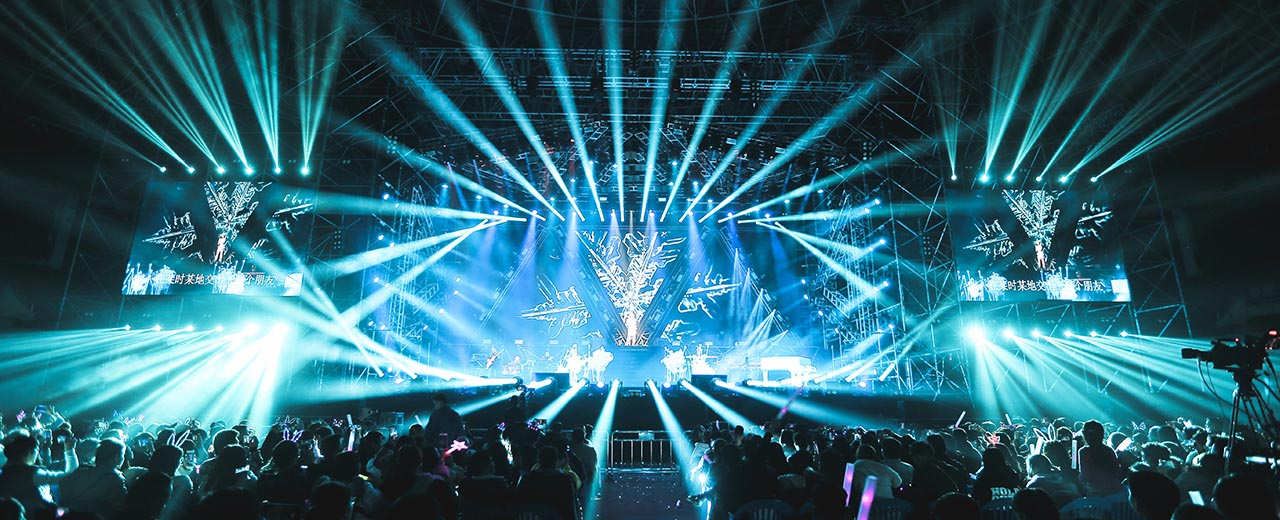
A rental LED display is a modular LED video wall designed for temporary installations and repeated assembly, transport and dismantling. For an AV rental company, choosing a system means considering the work it must do across different venues, crews and content requirements.
Start with your typical events, closest audience position, content and operating environment. Then compare cabinet handling, service access, control requirements and the complete equipment package. A screen that meets an image specification can still be a poor fit for your daily rental workflow.
This guide is for event production companies, AV rental businesses, LED display distributors and system integrators purchasing equipment. Hiring a locally operated LED wall for one event is a separate service and requires its own scope of work.
Rental LED Displays vs. Fixed LED Displays
Both rental and fixed LED walls assemble modules or cabinets into a larger display. Their priorities differ because their working environments differ.
| Buying consideration | Rental applications | Fixed installations |
|---|---|---|
| Installation pattern | Repeated builds and dismantling | A defined installation location |
| Handling | Transport, packing and crew access on every job | Access during installation and maintenance |
| Mechanical design | Evaluate locks, alignment and protection during handling | Evaluate mounting, access and integration with the building |
| Screen geometry | May vary between bookings | Usually specified for a particular space |
| Service planning | Fault finding and replacement within event schedules | Service access and downtime at the installed location |
Do not assume a fixed-installation cabinet is suitable for frequent rental use because it produces a good picture. Equally, a rental cabinet used in a permanent venue still needs a suitable support structure and service plan.
Indoor or Outdoor: Specify the Actual Conditions
Write down where the screen will operate. A conference room, covered stage and open-air festival place different demands on the system. “Outdoor” should describe the ordered configuration and its operating limits, not simply the product family name.
For outdoor use, request the documented environmental protection of the cabinet and connections, operating conditions, brightness specification and installation guidance. Discuss rain exposure, sunlight, temperature and the support arrangement. A roof above the stage does not automatically make indoor equipment suitable for the environment.
For indoor events, assess the image at the brightness you will actually use. Include dark content, gradients, presentation slides and live camera feeds in the demonstration. Excessive brightness is not a substitute for a comfortable, readable image.
If one inventory must cover both indoor and outdoor jobs, ask the supplier to demonstrate the proposed configuration in both use cases. Do not infer weather resistance from pixel pitch or cabinet appearance.
Choose Pixel Pitch Around Content and Viewing Distance
Pixel pitch is the distance between the centres of neighbouring pixels, expressed in millimetres. A smaller pitch places more pixels in the same physical area. Whether that additional detail is useful depends on the closest viewers, the content and the size of the wall.
Use three checks before choosing:
- Audience: identify the closest position where the image must look acceptable, not just the average audience distance.
- Content: test the smallest text, charts and logos that matter to the show. A moving stage background and a detailed corporate presentation need different evaluations.
- Canvas: confirm the actual pixel width and height of the proposed cabinet layout. Physical screen dimensions alone do not tell you its native resolution.
Ask for the cabinet pixel matrix and a layout drawing. Check how the processor will map your source content, including any scaling or cropping. Avoid treating a simple pitch-to-distance rule as a guaranteed viewing standard.
Where cameras are involved, include camera positions, lenses and intended shooting settings in the test. An image that looks satisfactory to the audience may behave differently on camera.
Cabinet Size, Weight and Material Affect Every Job
Evaluate how a crew will move the equipment from its case to its final position. Check handles, locks, corner protection, alignment and access to cables. Request both cabinet weight and packed system weight so you can plan transport and handling realistically.
Larger cabinets can reduce the number of pieces needed for a given wall. Smaller cabinets can provide more flexibility around height increments and compact layouts. Neither advantage establishes that different cabinet types can be mixed.
Before combining sizes, verify mechanical compatibility, matching pixel pitch, electronics, calibration and the approved assembly method. A shared external width does not establish that two products will work together.
Ask how the cabinet material and structure support repeated handling, and inspect the demonstration units for damaged edges or alignment problems. Include flight cases, hanging or ground-support equipment, cabling and spares when comparing total package costs.
Test Installation and Maintenance Before Ordering
Request a demonstration of the sequence your technicians will follow: unpacking, alignment, locking, connection, mapping, testing and packing away. If fast setup is a purchase priority, assess the actual crew and representative configuration rather than relying on an unspecified setup-time claim.
Confirm how technicians access modules, power supplies and receiving electronics. Front service can help where rear access is restricted, but the exact replacement procedure and tools must suit the installation. Rear service also needs adequate working space.
Your service plan should identify spare modules, spare electronics, compatible replacement parts and the files needed to restore a cabinet after replacement. Ask the supplier to explain the fault-diagnosis process and demonstrate a replacement operation.
Support structures, hanging arrangements and electrical distribution must be assessed for the complete installation by qualified personnel using the manufacturer’s documentation and applicable local requirements. Cabinet locks alone are not a complete rigging plan.
Flat, Curved and Corner LED Wall Configurations
A flat wall, a gentle arc and a right-angle corner use different mechanical solutions. Discuss the intended shape before finalising the cabinet package.
- Flat walls: focus on alignment, consistent joins and the required canvas dimensions.
- Curved walls: establish whether the design uses adjustable cabinet locks or a flexible cabinet, and obtain the permitted geometry for the exact version.
- Corners and columns: confirm the corner cabinet design and how the adjoining screen faces are assembled and mapped.
Do not assume every rental cabinet can bend or form any desired shape. Ask for a layout using the specific equipment in your quotation, including transitions between flat and curved sections.
Brightness, Refresh Rate and Control Systems
Specify brightness for the intended lighting conditions and review picture quality at the expected operating level. Compare quotations on the same basis rather than comparing an unexplained maximum figure with a working setting.
Refresh rate is one part of camera performance. Camera shutter timing, panel behaviour and processing also matter. Test the intended camera setup and content rather than accepting a refresh specification as a guarantee of an artefact-free recording.
For the control system, ask the supplier to name the proposed processor and receiving configuration and confirm:
- The required input connections and source formats.
- Support for the planned canvas and how content is scaled or mapped.
- The signal path, cable plan and any requested backup arrangements.
- The configuration files, calibration information and operator training included.
- Compatibility with the rest of your rental inventory.
Do not assume a processor feature is available on every panel or included in every quotation. Record the agreed configuration in the order documents.
A Practical Pre-Purchase Checklist
Use the same brief with every supplier so you can compare complete systems.
| Check | What to request |
|---|---|
| Typical bookings | Proposed solution for your representative venues and content |
| Pixel pitch and canvas | Cabinet resolution, layout drawing and content demonstration |
| Indoor/outdoor use | Exact configuration, environmental documentation and operating limits |
| Handling | Cabinet and packed weights, cases, locks and protection details |
| Service | Demonstrated replacement process, tools and spare-parts list |
| Control | Named equipment, mapping plan and any backup scope |
| Acceptance | Agreed visual, functional and camera tests before shipment |
| Commercial scope | Itemised equipment, packing, delivery terms and support responsibilities |
Request destination-relevant compliance documents for the exact supplied equipment. Do not infer certification from a photograph or from a different model in the same range.
Agree on acceptance criteria before production or shipment. Define what the supplier will show during testing and which records you will receive. Include image uniformity, alignment, connections and operation of the agreed configurations. A test video should identify the equipment and demonstrate the conditions relevant to your order.
Compare ownership costs beyond the initial screen price: packing, transport, supporting equipment, crew effort, repairs, replacement parts and storage all affect the usable value of an inventory. Avoid estimating payback from bookings you have not established.
Dazzview Rental LED Display Solutions
Dazzview is an LED display manufacturer offering solutions for rental and fixed applications. Buyers can explore the rental LED display range and compare a proposed configuration against their event requirements.
The DF Series rental LED display provides a specific example. Its published product overview lists a 500 × 500 mm cabinet weighing 7.5 kg, with indoor P2.6, P2.9 and P3.9 options and outdoor P2.9, P3.9 and P4.8 options. It describes front and rear maintenance, protective cabinet corners and optional curved locks.
The same product page describes mixed configurations using DF and 500 × 1000 mm DFL cabinets, flexible DFS configurations, and DFQ cabinets for 90-degree corners. These are product-specific capabilities. Confirm the selected pitch, electronics, geometry and accessories for your order rather than applying those features to every rental screen.
Frequently Asked Questions
Does “rental LED display” mean equipment can only be hired?
No. It also describes equipment designed for repeated temporary installations. AV companies can buy rental LED cabinets for their own inventory. Hiring a complete event system is a different transaction and may include transport, crew and operation, depending on the provider’s scope.
What is the right pixel pitch for an event LED wall?
Choose it around the closest viewing position, content detail and final canvas size. Compare representative content on the proposed screen. If the production will be filmed, include the camera setup in the evaluation.
Can an indoor rental LED screen be used outdoors?
Do not assume so. The exact equipment and connections must be appropriate for the environment and the installation must follow the manufacturer’s operating guidance. A finer pixel pitch does not indicate weather protection.
Can different cabinet sizes be combined?
Only when the system supports the combination. Confirm matching mechanical interfaces, pixels, electronics and calibration. Dazzview describes DF and DFL mixed configurations, but the ordered combination still needs a defined layout and configuration.
Is a higher refresh rate enough for camera use?
No. The complete panel, processing and camera arrangement must be tested. Refresh rate alone does not establish compatibility with every shutter setting or production workflow.
What should a rental LED display quotation include?
Request the exact cabinet configuration and quantity, processor, relevant receiving components, cables, spares, cases and supporting accessories. Clarify delivery terms, warranty scope, training and after-sales responsibilities so that omissions do not appear later as unexpected costs.
Discuss Your Rental LED Inventory with Dazzview
Send your typical applications, indoor or outdoor requirements, screen dimensions, closest viewing position, content type and preferred configurations. Include any existing equipment that the new system must work with.
Contact Dazzview to discuss a configuration and request a quotation.


 Jay
Jay
 Niki
Niki
 Selena